

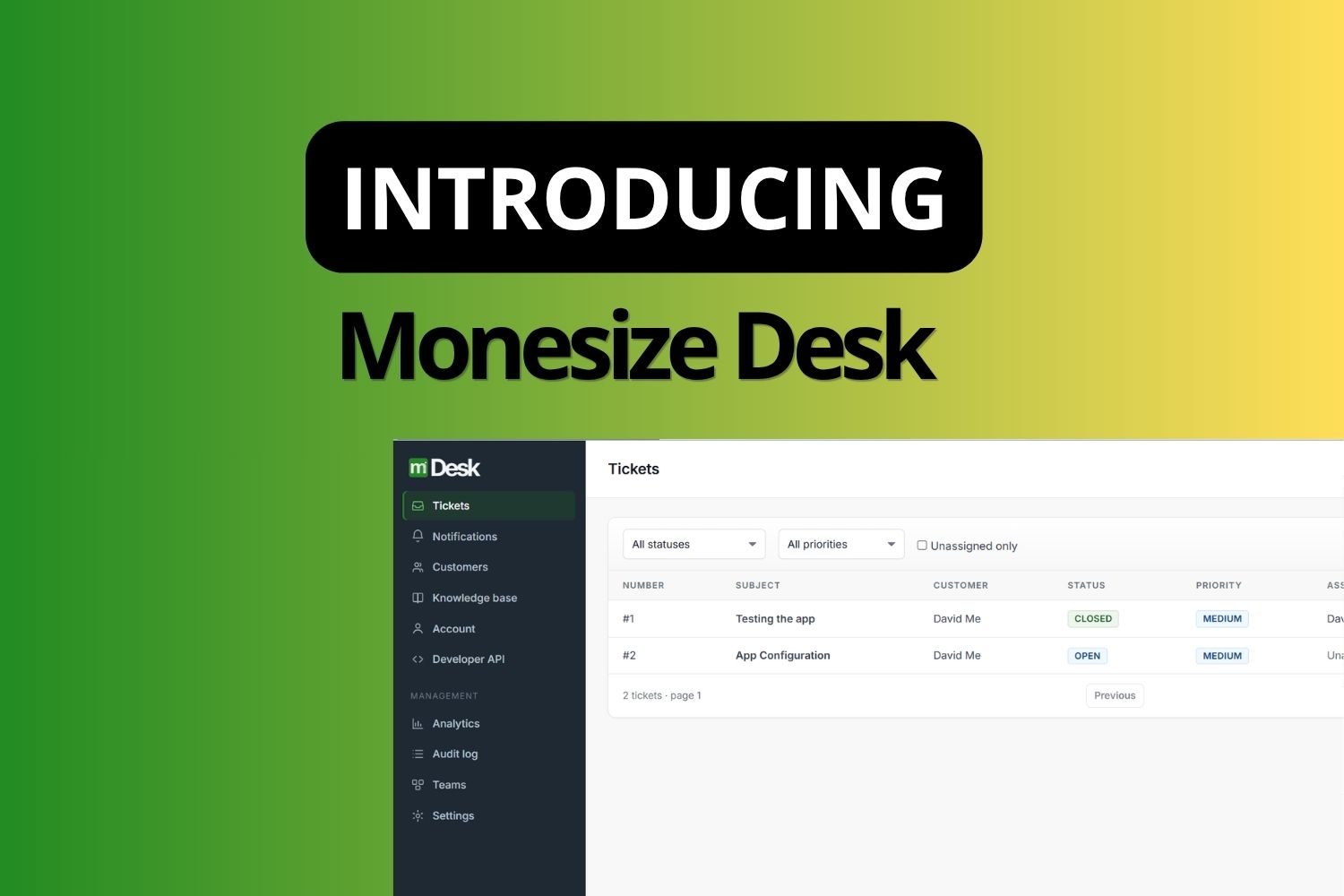
A single platform for managing customer support operations, from the first request to the final resolution.
Customer support gets messy when the work is spread across shared inboxes, chat threads, spreadsheets, and whoever happens to remember what happened last time.
A customer sends an email. Someone forwards it to the right person. Another person asks for an update. The customer follows up again because nobody replied. Three people have pieces of the conversation, and nobody has the complete picture.
The problem is not that people do not care about support. The problem is that the system around them was never designed to manage the work properly.
That is what Monesize Desk is built to fix.
What Is Monesize Desk?
Monesize Desk is a customer support and service management platform for organizations that need to manage customer interactions, service workflows, teams, knowledge, notifications, analytics, and self-service from a single system.
Every request becomes a ticket with an owner, status, priority, customer, and history. Support teams work from shared queues instead of personal inboxes. Customers can submit requests, follow their progress, reply, and access support information through a dedicated portal.
And because support work does not always happen inside the Desk interface, Desk also provides a developer API that lets organizations build their own customer-facing support experience directly into their products.
The idea is simple. Your customers interact with support wherever your product lives, while your support team keeps working from Desk.
Why We Built It
Support problems rarely happen because a team does not have enough people. They happen because nobody has a reliable picture of what is happening.
A request comes in without a clear owner. An escalation gets buried. A customer asks for an update and the person responding has to search through old emails to understand what happened. Internal notes get mixed with customer conversations. Once something is resolved, there is no easy way to reconstruct the history.
As the number of customers and requests grows, these small gaps become operational problems.
Monesize Desk gives support teams a defined workflow for managing that work. A request arrives. It gets assigned. Someone investigates it. The conversation stays attached to the ticket. Escalations retain their history. The customer can see the progress. And when the issue is resolved, there is a record of what happened.
What Monesize Desk Covers
Here is what is already live inside the platform.
Ticket Management. Tickets provide the central record for every support request. Teams can create, search, filter, assign, prioritize, escalate, reopen, and resolve tickets while maintaining the complete history of the request.
Conversations. Customer replies and internal notes live alongside the ticket without being mixed together. Agents have the context they need to respond while keeping internal communication private.
Customer Management. Customers have their own records and support history. Agents can see previous requests and interactions without reconstructing the relationship from separate conversations.
Teams and Agents. Organizations can structure support around teams, memberships, roles, and assignments. Tickets have clear ownership so responsibility does not disappear into a shared queue.
Escalations. When a request needs another team or a more experienced agent, it can be escalated without losing the original ticket history.
Knowledge Base. Organizations can create and publish support articles for both agents and customers. Common questions can be answered without requiring an agent every time.
Customer Portal. Customers get a dedicated portal where they can submit requests, follow ticket status, reply to conversations, and access available knowledge base content.
Attachments. Screenshots, documents, logs, and other supporting files can be attached directly to tickets. Attachments use secure object storage and controlled access.
Notifications. Assignment, replies, status changes, and other support events can generate notifications so important work does not sit unseen.
Analytics. Support managers need more than a list of tickets. Desk provides visibility into ticket volume, status, workload, and agent activity so organizations can understand what is happening across their support operation.
Self-Service. The knowledge base and customer portal work together to give customers ways to find information and manage their own requests before every interaction becomes an agent conversation.
Build Your Own Support Experience
Desk does not require every organization to send its customers to the Desk portal.
The developer API lets organizations use Desk as the support infrastructure behind their own products. A software company can build a Help section directly into its application. A financial platform can let customers open and track support requests without leaving its dashboard. A service provider can build its own support experience while letting its internal team continue working from Desk.
The organization owns the customer-facing experience. Desk manages the support infrastructure underneath it.
The API provides organization-scoped test and production environments, secure API keys, customers, tickets, conversations, attachments, teams, escalations, and knowledge base operations. And it is available as part of Desk.
Designed to Work Independently
Monesize Desk is not simply another module inside Monesize Core. It has its own backend, database, authentication, tenancy model, business logic, deployment, and operational workflows. That lets Desk evolve independently while still participating in the wider Monesize ecosystem where necessary.
Organizations can use Desk on its own or alongside other Monesize products. The result is a support platform that does not require your entire business to adopt another system just to organize customer service.
What This Actually Means
Monesize Desk gives organizations a single system for the work that happens between a customer asking for help and that request being resolved.
Instead of support living across inboxes, spreadsheets, chat messages, and individual memory, the request has a defined place in the organization. There is an owner. There is a status. There is a history. There is a customer. And there is a record of what happened.
For organizations that want more control over the customer experience, Desk can also operate underneath their own product through the developer API.
ALSO READ: Introducing Monesize Core: One Unified Platform for Enterprise Operations and Finance
What Comes Next
Desk is already running in production, and development continues around the platform, its API, customer experience, integrations, and operational capabilities.
The focus now is on making the platform more useful for organizations with increasingly complex support operations, while keeping the underlying system straightforward to use.
Support software does not need to become another complicated enterprise system. It needs to make sure the right request gets to the right person, with the right context, and that nothing gets lost along the way.
The Bottom Line
Monesize Desk is built around a simple idea. Customer support is an operation, and operations need structure.
Your team should not have to remember where a customer conversation happened. Customers should not have to chase your team for updates. Managers should not have to piece together the state of support from five different tools. And organizations that already have their own products should not have to build an entire support backend just to give their customers a proper support experience.
Desk gives you the workspace, the infrastructure, and the tools to manage it all in one place.
And it stays free. Explore Monesize Desk.