

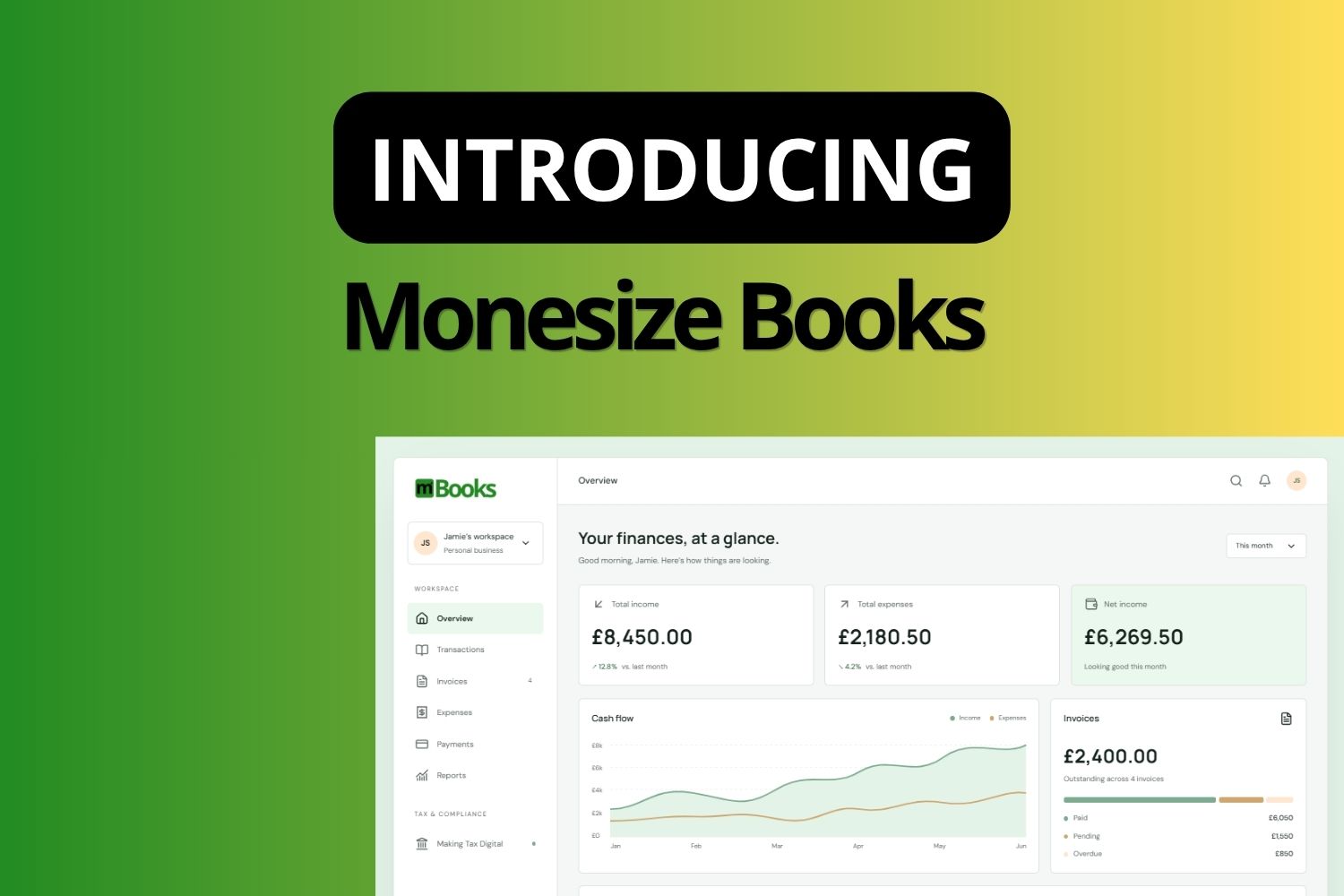
Managing your finances should not be the hardest part of running your business. For most sole traders, freelancers, landlords, and small business owners, it is. Invoices live in one place. Expenses live somewhere else. Bank transactions need to be matched manually. Tax records are a separate problem entirely. And somewhere in the middle, the actual work of running your business gets buried under the admin of tracking it.
Monesize Books is built to change that.
The core product is free. You can create an account today, set up your financial profile, and start managing your books without paying anything. Premium features, including Making Tax Digital, Bank Connect, and the AI agent interface, are available for £7 per month in the UK and $10 per month everywhere else.
One connected system
Monesize Books is not a collection of tools bolted together. It is a single connected system where every part of your financial life feeds into the same picture.
Record an expense and it goes into your books. Send an invoice and it appears in your accounts receivable. When your customer pays, the payment is reconciled against the invoice and your financial position updates automatically. You see what is happening with your money without having to piece it together from three different places.
That connected flow is the point. Not features in isolation, but a system where the parts work together.
Built for people, not finance teams
Monesize Books is designed for people who run their own finances without an in-house finance team behind them.
Whether you are a sole trader keeping your work and personal finances in order, a freelancer sending invoices and tracking what you are owed, a landlord managing property income and expenses, or a small business handling everyday financial management without enterprise-level complexity, Books is built for how you actually work.
The interface is intentionally simple. Common tasks take seconds. Create an invoice, record an expense, check your income, see your financial position. No unnecessary steps, no accounting jargon you have to look up, no configuration required before you can do something basic.
Underneath that simplicity is a proper double-entry accounting engine. Your records are structured correctly. Your reports are accurate. Your financial data means something when you need it.
Invoicing and payments, in one place
Books includes a complete invoicing workflow. Create professional invoices, send them to your customers by email, and let your customers pay online. When payment arrives, Books records it against the invoice and updates your books automatically.
The full flow looks like this:
Create invoice → Send to customer → Customer pays online → Payment recorded → Books updated
No manual matching. No chasing your own records. The payment arrives, the books reflect it, and you know exactly where you stand.
For businesses that invoice internationally, Books handles multiple currencies with automatic exchange rate fetching and correct base-currency conversion in the ledger.
Books also supports electronic invoicing. If you work with buyers who require structured invoice formats, your invoices can be downloaded as UBL 2.1, Peppol BIS Billing 3.0, or Factur-X PDF with embedded CII XML. These formats are increasingly required by European public sector buyers and large enterprise purchasing systems.
Expenses and receipts
Recording expenses in Books takes a few seconds. Choose a category, enter the amount, select the date. If you are a landlord, tag the expense to a specific property.
If you have a receipt, you can scan it. Books reads the receipt using OCR and prefills the expense form with the amount, date, merchant name, and currency it extracts. You review the prefilled fields, make any corrections, and save. The receipt is matched to the expense without manual data entry.
Every expense is categorised against the chart of accounts, reflected in your reports, and included in your profit and loss in real time.
Less manual work
A significant part of bookkeeping is repetitive. The same categories, the same suppliers, the same types of transactions appearing again and again across different periods. Books reduces that repetition through automated transaction categorisation and bank connectivity.
For US users on the Premium plan, Books connects directly to your bank account. Transactions are imported automatically as they come in. Books analyses each transaction and suggests how to categorise it based on your previous entries and built-in merchant recognition. You review the suggestions, confirm what looks right, and the accounting records are created. Your categorisation preferences become rules that apply to future matching transactions automatically.
The outcome is a bookkeeping workflow that requires substantially less manual input. You stay in control of your records. Books handles the repetitive parts.
Ready for Making Tax Digital
For UK sole traders and landlords, Making Tax Digital for Income Tax requires digital recordkeeping and quarterly updates to HMRC. Monesize Books is built to support that workflow.
MTD in Books is not a separate feature you maintain alongside your normal bookkeeping. It is part of the same system. As you record income and expenses in the ordinary course of your financial management, your digital records are maintained automatically. When a quarterly update is due, the information is already in your books. You review it and submit it from Books directly.
There is no duplication of work. Your everyday financial activity becomes your MTD compliance record.
Financial reports
Books generates financial reports from your live data. No export required, no manual reconciliation before you can read a report. The numbers reflect your actual records.
Available reports include profit and loss, income breakdown, expense breakdown by category, cash position based on reconciled transactions, accounts receivable aging, invoice statistics, and tax summary showing tax collected on invoices against tax on expenses.
Reports can be exported as Excel workbooks. If your accountant needs your data at year end, you can download a full data export containing every record in your books across all categories in a single file.
Your finances, open to automation
For technically minded users, Books includes a first-class MCP interface. You can create API keys scoped to specific permissions and use them to connect authorised AI agents and automation workflows to your Books data.
Through the MCP interface, agents can read financial reports, retrieve invoices and customers, create invoices, record expenses and income, record payments, reconcile transactions, and confirm imported bank transactions. The interface is structured and permission-based. Each API key carries only the scopes you explicitly assign to it.
Every agent action is logged in an immutable audit trail. You can see exactly what each agent did, when it happened, and which API key was used. If you need to revoke access, you revoke the key and the agent loses access immediately.
This is not a feature built for edge cases. It is a first-class interface designed for users who want to build serious automation around their financial data.
Part of the Monesize ecosystem
Monesize Books is a standalone product. It is fully useful on its own without any other Monesize product.
It is also part of the broader Monesize ecosystem. If your organisation uses Monesize Core, Monesize Engage, or Monesize Desk, Books sits alongside them as the financial layer for individuals and smaller operations within your structure. Sign in with your Monesize account and your identity works across every product you use.
For organisations managing access across multiple Monesize products, Monesize Gateway provides the central identity and offboarding layer that keeps membership and access in sync.
Get started
Monesize Books is available now. Create your account, set up your financial profile, and start managing your bookkeeping, invoices, expenses, and payments in one place. The core experience is free with no time limit. Get started with Monesize Books.